

The Ultimate Guide: Free Laser Cutting Files & AI Pitfall Avoidance
Can You Use Free Laser Cut Files Directly?
This is the number one question every crafter asks. The short answer is: You can use them freely for personal projects, but never blindly for commercial sales.
Whenever you download a free laser cut file, you must locate and read its specific licensing terms:
Personal Use Only: You can only make the physical item for yourself or as gifts for friends and family. You cannot sell the finished product on Etsy or at local craft fairs.
Commercial Use Allowed: You can download the file for free, cut it on your machine, and sell the physical products you create.
The Ultimate Red Line: Virtually all free commercial licenses strictly prohibit the reselling, redistributing, or repackaging of the digital file itself (e.g., you cannot bundle downloaded SVGs and resell them on your own site). If a file has no visible license info, always default to assuming it is for personal use only.
Where to Find Free Laser Cutting Files
Large General Libraries & Communities
These sites offer vast resources and are ideal for finding inspiration or theme-specific designs.
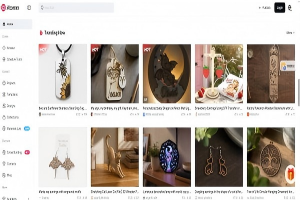
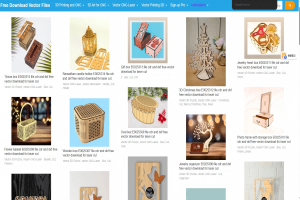
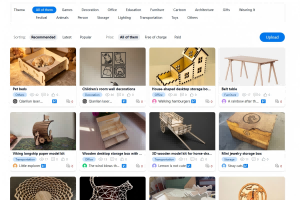
- Atomm: Features over 37,000 laser cutting projects, with new additions weekly. Resources include DXF, SVG, AI, and other vector formats, with both free and premium designs available. You can filter directly for "free" resources.
- 3axis.co: A massive library of vector files ready for laser cutting. Due to the wide range of sources, file quality varies, but it is well-suited for testing and practice.
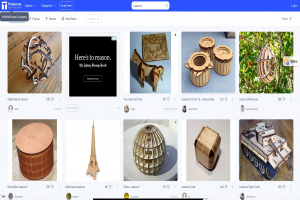
- Thingiverse: One of the largest maker communities globally. You can search for keywords like "laser cut" or "DXF" to discover projects.
- CNCFILES.com: Offers DXF files specifically designed for CNC equipment including plasma, laser, and engraving machines. Categories include wall decorations, home decor, and more, making it easy to find specific patterns.
Specialized Design Libraries & Generators
If you are looking for specific types of designs or want to quickly generate basic structures, these sites are very practical.
- Ameede Designs: Known for high-quality, ready-to-use laser files with closed paths and clear layers, making it beginner-friendly.
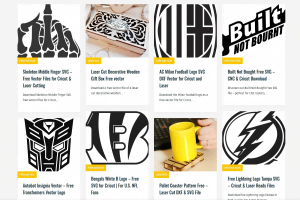
- FreeVector.us: Specializes in free DXF and SVG files designed specifically for laser cutting and CNC machining.
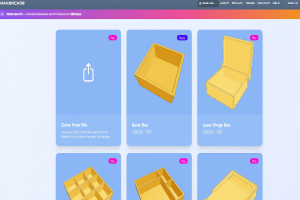
- Online Box Generators: Tools like MakerCase and Boxes.py allow you to input your desired dimensions and material thickness, instantly generating vector files for cuttable boxes, drawers, and other structures.
Chinese Communities & Hardware Manufacturers
Beyond international platforms, Chinese communities and official hardware manufacturer channels offer many localized free resources.
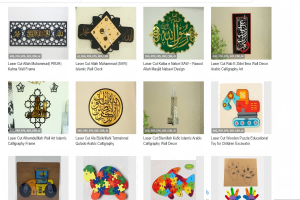
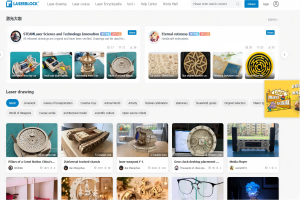
- Laserblock Laser Forum: A Chinese open-source community offering thousands of free laser cutting design downloads, covering art decor, educational models, and more, making it very accessible for domestic users.
- Chanelink: A one-stop laser industry platform in China. Its "Gallery" section provides free vector design downloads, along with a technical forum for learning and discussion.
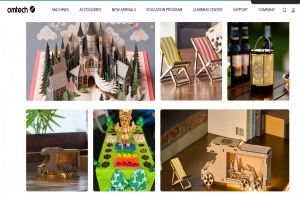
- OMTech: As a laser equipment brand, OMTech offers a free SVG file library with designs primarily for personal use, updated regularly.
Laser Cutting File Format Requirements
Before downloading any file, you need to understand the underlying mechanics of how laser software reads data. This brings us to a fundamental concept: bitmap image vs vector graphic.
Bitmap Image (JPG, PNG): Made up of pixels. If you zoom in, the image becomes blurry and pixelated. A laser machine can only engrave a bitmap image; it cannot use it for precise line cutting.
Vector Graphic (SVG, DXF, AI, PDF): Made up of mathematical formulas and paths. It remains perfectly crisp no matter how much you zoom in. This is the mandatory format for laser cutting.
Recommended Standard Formats
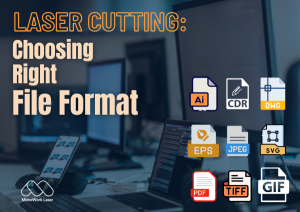
SVG (Scalable Vector Graphics): The absolute gold standard. It is fully compatible with major laser software like LightBurn, xTool Creative Space (XCS), and Glowforge, and it retains layer and color information flawlessly.
DXF (Drawing Exchange Format): Best for CAD software or mechanical, interlocking 3D assembly kits that require extreme dimensional accuracy.
How to Tell If a Free Laser File is Actually an AI Image
Check File Logic and Structure
A genuine laser cutting file is built for the physical world and follows strict geometric logic. AI-generated images, however, often prioritize "visual appeal" while ignoring these engineering constraints.
- Lines Must Be Closed: Laser cutting paths must consist of closed vector paths. AI-generated images may simulate the appearance of lines, but the actual file paths may not connect end to end. Such files cannot be used for cutting.
- Logical Design: A legitimate design has clear functional divisions—Cut Lines, Score Lines, and Engrave Lines—each with a distinct purpose, and the drawing will include clear dimensions or scale references. AI often struggles to understand these process distinctions, resulting in chaotic layouts or missing critical details.
- Check Layers and Colors: Professional cutting files typically use different colors to distinguish between cutting, engraving, and scoring operations. If the file has disorganized layers, inconsistent color usage, or randomly generated layer names, it may be AI-generated.
Observe Details for Physical Realism
AI-generated images tend to create details that look like they work, rather than details that actually work.
- Excessive Complexity and Blurriness: AI may generate extremely fine or blurry-edged "intricate structures" that are physically unsupported or impossible for a laser to process. A real designer considers material strength and would not create overly fragile structures.
- Bridges Placement: In designs where bridges are needed to prevent cutout pieces from falling out, manually designed bridge locations are carefully planned—they hold pieces in place while allowing easy removal later. AI may generate bridges in strange positions or with unreasonable dimensions that serve no practical purpose.
- Overly Perfect Textures: Natural materials like wood grain and leather have inherent randomness. If a file's material texture shows completely unnatural, repetitive patterns, it is likely an AI-generated image rather than a usable vector file.
Use Tools and Technical Methods
Modern tools can also assist in verification.
- AI Detection Tools: There are now cloud-based applications and signature technologies that can identify AI-generated images. While these are primarily used for content authenticity verification, the same principles can be applied here as a reference.
- Inspect with Professional Software: Import the file into professional laser software like LightBurn or LaserWork to check for redundant nodes, optimized paths, and complex overlapping lines. A clean, efficient file is usually the result of careful manual optimization by a real designer.
- Source and "Fingerprint": Is the file source reliable? Files from well-known maker communities or professional designers' portfolios are typically verified. Additionally, specialized technologies like MIT's SensiCut project use micro-surface analysis to verify material authenticity.
How to Turn Free AI Images into Usable Laser Cut Files
What if you stumble upon a gorgeous AI-generated design (in bitmap format) that you absolutely want to cut for personal use? Here is how to convert it safely:
Step 1: Image Trace & Vectorization
Because you cannot cut a bitmap, you need to use vector software like Inkscape, Adobe Illustrator, or LightBurn's built-in "Trace Image" feature. This tool scans the contrast lines of the bitmap and extracts them into clean, editable SVG vector paths.
Step 2: Combine and Modify Designs
AI images are rarely perfect on the first try. You can use an ai image combiner free online tool to seamlessly blend multiple elements together (for example, combining an AI-generated floral border with a separate AI animal silhouette) to generate a totally custom foundation layout.
Crucial Cleanup Note: Once your image is traced into vector lines, you must manually inspect it in your laser software. Check for open loops and double lines (overlapping paths). If you skip this, your laser will cut the exact same path twice, causing excessive charring, burn marks, or fire hazards.
Related Videos
Nesting software is a tool that intelligently arranges your designs onto the material — saving material, time, and hassle. It supports co‑liner cutting, allowing multiple shapes to share the same cutting line, maximizing material utilization. The interface is as user‑friendly as AutoCAD, making it easy for beginners to get started. When paired with laser cutting, it significantly boosts mass production efficiency.
How to go from free laser cutting files to finished products
FAQ
A: This is caused by material thickness variation and laser kerf (the amount of material the laser beam burns away). A free file designed for a strict 3.0mm plywood won't fit if your local plywood actually measures 2.8mm. Always cut a small slot test-strip first and adjust the file's slots before cutting the entire project.
A: If you sell physical products using a "Personal Use Only" file, the original designer can file a DMCA takedown notice on platforms like Etsy or Shopify. This can lead to your shop being permanently banned, and in severe cases, legal statutory damages for copyright infringement.
A: Right before major holidays like Christmas, Halloween, or Mother's Day, check the "Freebies" tab on Creative Fabrica, or tune into popular laser-cutting YouTube channels. Creators frequently give away highly polished, commercial-friendly seasonal SVG bundles in their video description boxes to thank their subscribers.
Keep the material in its original sealed packaging until use.
A: You must never resell, redistribute, or repackage the digital file itself. Even if a file allows commercial use of the physical product, the digital file remains protected. You cannot bundle downloaded SVGs and resell them on your own website or share them as your own designs.
Do you have any other questions about free laser cutting files?
Post time: Jul-09-2026