

Many fabrics can be processed with a CO2 laser, but the correct settings depend on fiber composition, coatings, thickness, focus, airflow, and machine configuration. This laser cutting guide explains the working principle, setup conditions, test process, and common defect checks.
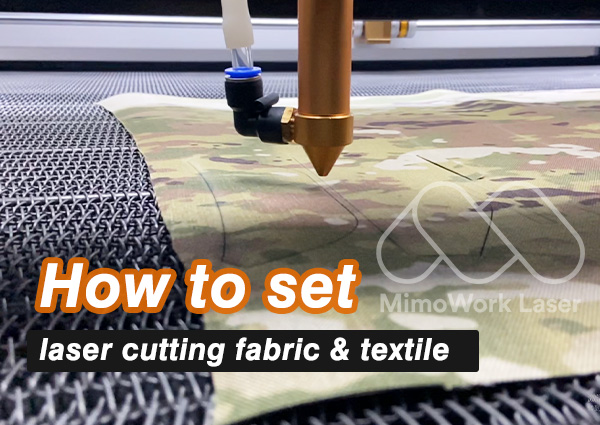
How to Set Laser Cutting Fabric
Table of Content:
How Does Laser Cutting Fabric Work?
A CO2 laser focuses heat onto the fabric along a programmed cutting path. The cutting result depends on the interaction between the material, laser power, speed, focus, airflow, and extraction. Depending on its composition, the fabric may separate, melt, seal, discolor, or scorch at the cut edge.
>> CO2 Laser Cutting Fabric in Action <<
Laser-cutting fabric is not limited by traditional cutting tools' constraints, allowing for the creation of intricate lace-like patterns.
Custom designs, and even personalized logos or monograms on clothing and accessories.
Additionally, it's a non-contact process, meaning there's no direct physical contact with the fabric, minimizing the risk of damage or distortion.
If your project requires patterns, logos, or surface details rather than cutting through the material, see our guide to laser engraving fabric.
How to Determine CO2 Laser Cutting Settings for Fabric
Getting the right laser settings is crucial for achieving top-notch results when cutting fabric. The optimal settings can vary based on several factors, including the thickness and type of fabric, your design, and the specific laser cutter you’re using.
▶ 1. Identify the Material and Thickness:
Prepare the fabric according to its care and processing requirements. Make sure it is clean, dry, and flat before cutting. Wash or iron the material only when this is suitable for the specific fabric and production process.
| Check | Information to confirm |
|---|---|
| Composition | Natural fiber, synthetic fiber or blend |
| Surface | Coating, adhesive, dye, print or finish |
| Thickness | Single-layer thickness and number of layers |
| Structure | Woven, knitted, felted or laminated |
| Required result | Cut-through, sealed edge, limited discoloration or fine detail |
Visually similar fabrics may react differently. Test the actual production material rather than relying only on its trade name.
▶ 2. Set Focus, Air Assist, and Extraction:
Place the fabric flat on a clean, level cutting table and secure it without stretching or distorting the material. Set the focus and working distance according to the machine and lens configuration.
Adjust air assist to remove smoke and debris without shifting or damaging lightweight fabric. Confirm that the extraction system removes fumes from the cutting area instead of allowing residue to settle back onto the material.
Fume Extractor:
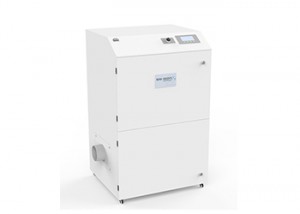
Fume Extractor Laser Cleaning
When cutting certain composite materials, you may encounter unpleasant odors.
A fume extractor is essential for maintaining a clean environment, particularly for clients working on sensitive projects, such as airbags.
This helps ensure a safer and more pleasant working atmosphere.
The fume extractor can help you solve these.
▶ 3. Test Power and Speed:
Start with an approved baseline for the specific material, thickness, machine, and laser source. Power and speed work together: excessive heat may scorch or melt the edge, while insufficient energy may leave incomplete cuts.
Run a small sample cut and change only one variable at a time. Record the material, thickness, machine, power, speed, focus, airflow, and result before making the next adjustment.
Still Having no Idea about Laser Cutting Fabric Setting, Contact us for More Detailed Advice
Common Fabric Laser Cutting Problems
| Symptom | Conditions to check |
|---|---|
| Incomplete cut | Material thickness, focus, dirty optics, insufficient energy, excessive speed or multiple layers |
| Yellow or burnt edge | Excessive heat, slow movement, smoke redeposition, coatings or poor extraction |
| Melted or hardened edge | Synthetic composition, excessive heat or repeated passes |
| Uneven or missed sections | Wrinkles, material movement, table flatness, inconsistent focus or feeding tension |
| Excessive smoke or flame | Material identity, coatings, extraction, air assist and debris beneath the fabric |
Change one condition at a time and repeat the sample test. For detailed yellowing and burnt-edge diagnosis, see Laser Cutting White Fabric: How to Prevent Yellowing and Burnt Edges.
Machine Status and Maintenance Checks
Before increasing power or changing production settings, confirm that the machine is operating normally.
■ Clean the lens, mirrors, nozzle area, and cutting table according to the machine manual.
■ Check focus, table flatness, air assist, extraction, cooling, and material feeding.
■ Inspect for blocked airflow, loose material, abnormal movement, warning messages, or unstable cutting results.
■ Do not compensate for dirty optics or poor extraction by increasing laser power.
■ Follow the approved maintenance schedule for the specific machine.
Video Display | How to Laser Cut Canvas Fabric
Video Display | Can Laser Cut Multi-layer Fabric?
Why a Fabric Laser Cutter is the Best Tool for Cutting Fabric
While various laser cutters can cut fabric, a dedicated fabric laser cutter is the optimal choice for several reasons:
1. Precision and Accuracy
Tailored Design: Fabric laser cutters are specifically designed for cutting fabric, featuring software that allows for precise control over the cutting process. This ensures that the fabric is cut to the exact specifications of your design.
2. Specialized Features
Air Assist: Many fabric laser cutters come equipped with air assist features that blow away debris from the cutting area. This keeps the fabric clean and minimizes the risk of damage during the cutting process.
3. Intricate Design Capability
Complex Patterns: The precision of fabric laser cutting enables designers to create intricate and detailed designs that would be difficult to achieve with traditional cutting methods.
In conclusion, laser cutting fabric is an innovative and precise way of cutting fabric that provides designers with the ability to create intricate designs with precision and accuracy.
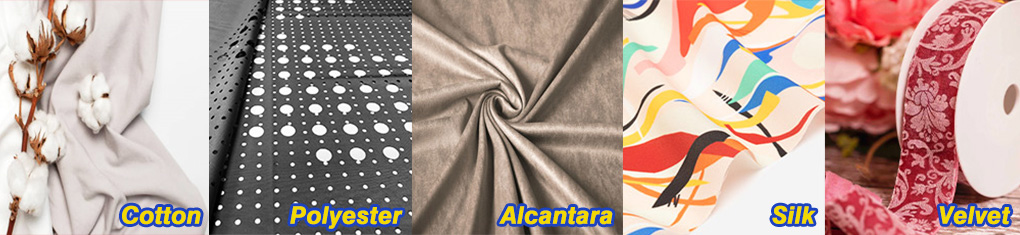
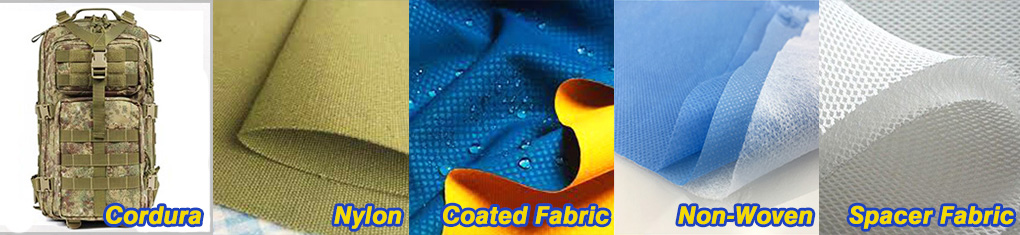
Glance | Fabric Laser Cutting Machine
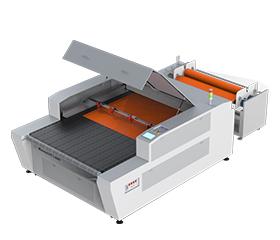
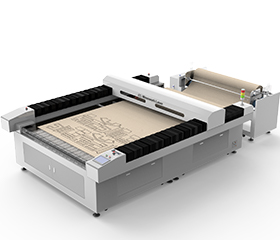
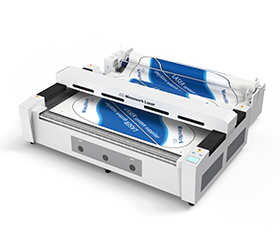
Choose the One that Suits your Requirement
How to Laser Cut Fabric at Home or Factory?
Recently receiving many requirements about fabric laser cutters for home use or workshop, we decided to get things clear and straight.
Yes, laser cut fabric at home is feasible but you need to consider your fabric sizes and laser bed size.
Usually, a small laser cutter will be great like laser cutter 6040, and laser cutter 9060.
And the ventilation system is required, better if you have a ventilation tube or outlet.
For the factory, mass production is required, so we recommend the standard fabric laser cutter1610, and larger format laser cutting machine1630.
Auto-feeder and conveyor table can work together, realizing automatic fabric laser cutting.
Not only that, we have researched and developed versatile solutions for higher efficiency, less labor, and other special requirements.
Example: Multiple Laser Heads for Cutting Fabric
◼ Laser Head with Ink Marker: Marking and Cutting
Dual-layers Feeder: Laser Cut 2 Layers Fabric
Any Confusions and Questions for How to Set Laser Cutting for Fabrics
Post time: Sep-05-2023